
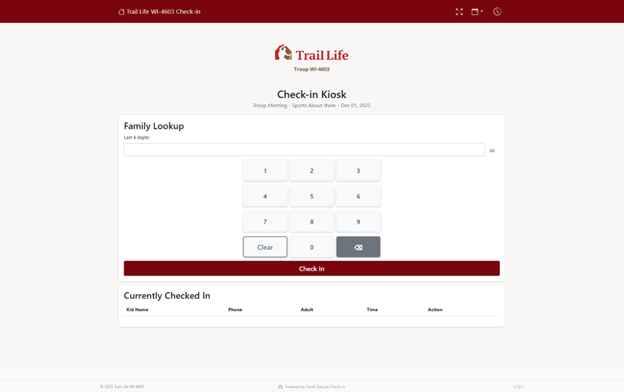
Default kiosk view that should be on the tablet / laptop when you arrive each night.
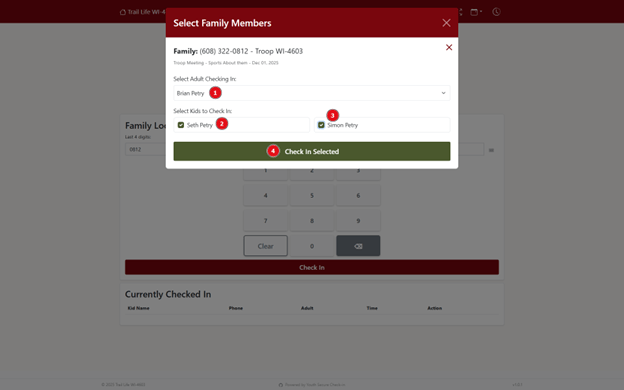
(1) - Adult whose phone number is associated with entry is set as the checking-in adult (based on TLC).
(2) & (3) - If more than one child per family, all will be checked by default to be checked in.
(4) - Select the green box to finish check-in.
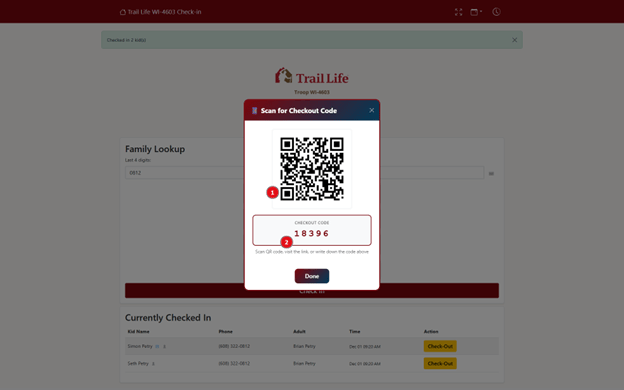
Either take a picture / scan the QR code / write down the 5-digit code for checking out at the end of the event.
(1) - QR Code generated goes to a unique page to save / share the check-out code.
(2) - Check-out code is unique per event per family, same code for all kids per family.
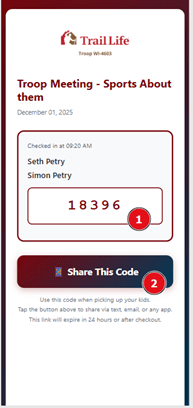
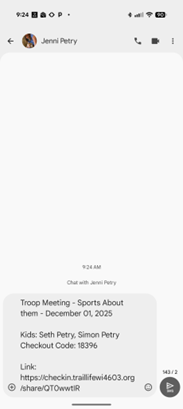

The webpage which the QR code links to:
(1) - The checkout code for reference.
(2) - Link to share the check-out code with whoever is picking up.
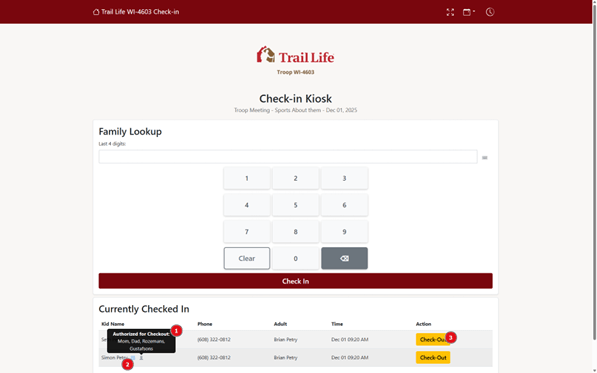
After checking in, each kid will be listed as checked in.
(1) - Each kid will have listed who is authorized to pick them up (per health & safety form)
(2) - Any special needs or allergies will be listed with a special icon by each kid, as needed.
(3) To check-out your kid, select the yellow check-out button by your kid.
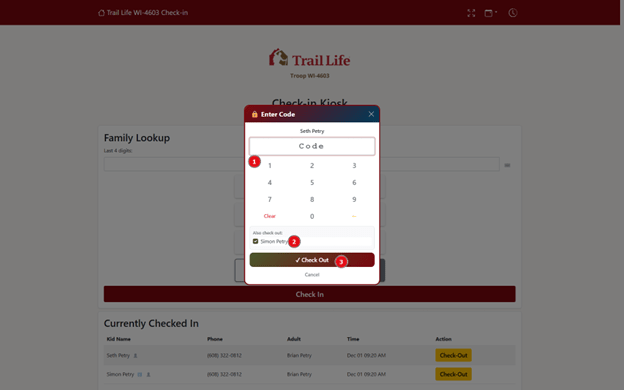
(1) To check-out, enter the check-out code that was given at the beginning of the event when checking in.
(2) - Any additional kids in the family will automatically be selected to be checked out at the same time.
Attendance in Trail Life Connect will automatically be updated by checking in.